Home Theater Plasma TV and Video projector Video Connection Guide
From Worst to Best Quality
Composite Video
Composite video (RCA connector) is a
combined video signal that contains the luminance, hue, and saturation data
on a single cable. This is the lowest grade of video signal used by most
video equipment. The typical connector is a single RCA Jack with a Yellow
marking. Composite video is poor in quality and is only used as a last
resort. In no circumstances is it recommended to run a plasma or projector
with composite video, due to the fact that it will only feed approximately
250 lines and the picture will be so bad you will kick yourself for buying a
plasma.
S-Video
S-VideoThe next step up in
signal quality from Composite Video, S-Video separates the luminance part of
a video image from the color part. This provides a clearer picture due to
the fact that each portion of the video signal is assigned it's own
processing channel.The S-Video connector is a Mini-Din 4 Y/C, also known
as S-Video Connector. S-Video is primarily used on S-VHS VCRs, satellite
dishes (non-HDTV) and DVDs where the target connection (example, your
television set) will not accept component connections.S-Video will run
480i signal, but not a 480p signal.
Component Video
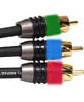
Component video (RCA connectors) is a high-grade video signal
that separates the 3 basic components of a video signal (luminance, hue,
saturation). Component video is often displayed as Y, Pb, Pr,
or Y, Cb, Cr. The typical connectors are three RCA
Jacks with green , Blue, and Red markings. This system is used primarily on DVD players and HDTV receivers. A component video connection is capable of
accepting full high-definition signals up to 1080i. It is important to note that when looking
to purchase a surround sound receiver, to be sure that it has component
video switching. When purchasing component video cables try to keep your run
below 18ft.
NOTE: Although
DVI and VGA may give a better image, The component video cable is the
favored connection method since you can switch video feeds thru your
Surround sound receiver.
RGB (VGA) Video
RGB
(VGA) Video is one of
the purest forms of component video with separate color and luminance
signals for each of the Red, Green, and Blue components. RGB is the
standard signal type used on most computers. This input can also accept
component video in using a RCA to RGB adapter ( see bottom of page). This is very useful if you
need to feed a DVD player and a HDTV receiver into a Plasma display if your
surround sound receiver does not have component video switching.
DVI Video
DVI Video is the highest
signal quality available. DVI (Digital Video Interface) is a specification
created by the Digital Display Working Group (DDWG) to accommodate analog
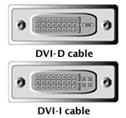
and digital monitors with a single connector. There are three different DVI
configurations: DVI-A, designed for analog signals, DVI-D, designed for
digital signals, and DVI-I (integrated), designed for both analog and
digital signals. DVI is an option on many Plasma displays. Due to the fact
that DVI is a new standard, there are presently very few sources except for
HDTV and some computers. A DVI connection can also be adapted to feed RGB
(VGA) connections. Although the DVI is in theory the best signal for video
it cannot be switched thru a surround sound receiver and can be controlled
by HDCP
High-bandwidth
Digital Content Protection (HDCP)
HDCP
is a cryptographic system developed by Intel that encrypts video on the DVI
bus. The DVI bus is used to connect digital video cameras and DVD players
with digital TVs, etc. The aim of HDCP is to prevent illegal copying of
video contents by encrypting the signal. More information about HDCP can be
found at www.digital-cp.com
HDMI Cable
HDMI Cable
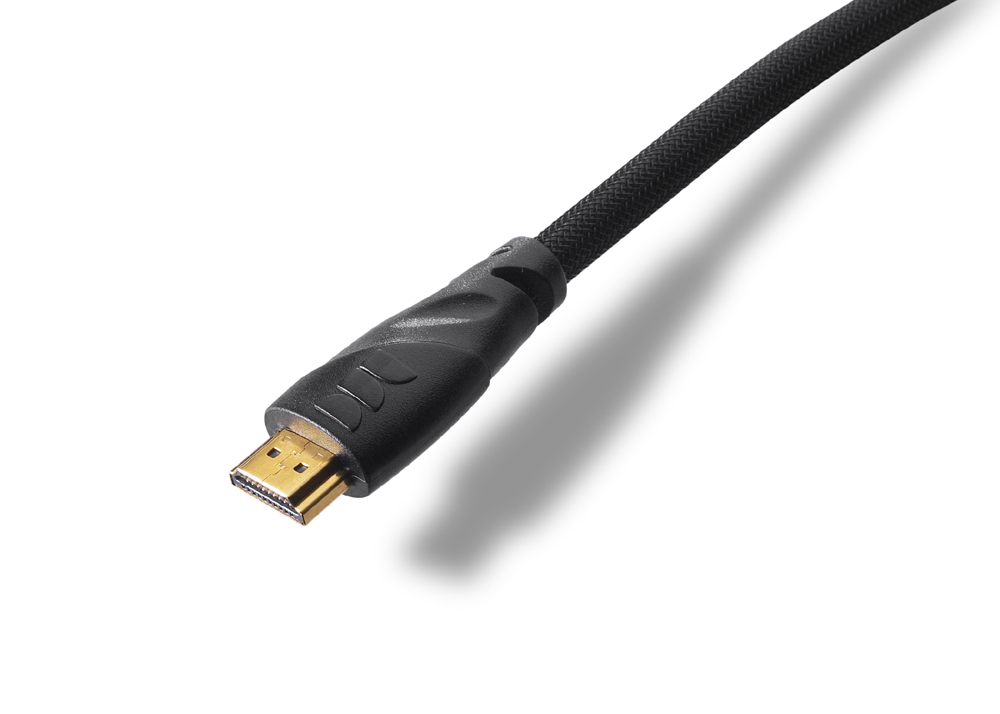
HDMI is the first and
only digital interface that is able to combine uncompressed audio and
video over a single cable. Possessing a bandwidth of 5 Gbps,
transmissions over HDMI are currently using less than half of that.
This leaves plenty of room to expand the technology in the future.
HDMI is fully
backwards compatible with DVI, and will supplant it as the interface
of choice over the next few years.
HDMI provides an interface between any compatible digital audio/video source, such as a DVD player, a PC, a video game system, or an AV receiver and a compatible digital audio and/or video monitor, such as a digital television (DTV). HDMI cable supports all HDTV formats.
Audio Cables
RCA Audio Cables: These
cables are used to transfer analog audio from non Digital sources such
as vcr's and non HD satellite receivers to your amplifier or plasma screen.
These units are usually included with VCR's etc as they are very inexpensive
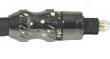
Optical Cable: This cable is a
fiber optical cable which transfers digital audio signals from your DVD or
HDTV receiver box to a surround sound receiver. Digital sound is converted
to light and transmitted thru the Fiber optical cable to provide you with
full digital surround sound.
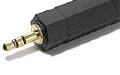
3.5 mm Mini Jack: A mini jack transfers stereo sound from video games
and small items such as portable dvd players and laptops to your stereo or
plasma. For example : If you wanted to connect your laptop or desktop
computer to your stereo you would use a minijack to RCA audio adapter cable.
Also many plasma screens have a audio out minijack which allows you to
connect powered computer speakers.
BNC Connector: A BNC connector is simply a connector that is used on
many Plasma Tvs and video projectors instead of a RCA connector. This unit simply
turns and locks to prevent cables becoming loose. In most cases users simply
use a BNC to RCA adapter and connect standard RCA cables. The adapters can
be purchased at a electronic store for a dollar or two each.