Please note: This Pioneer Plasma display
does not contain a tuner. A separate box such as a digital cable or
satellite box will be required to receive television signals as would all
units when used for digital cable or satellite. If you wish to receive
regular non digital cable a optional card can be purchased.
Pioneer
pdp504cmx 50 inch true hdtv Flat Panel Plasma TV
OVERVIEW - Pioneer PDP-504cmx 50 inch hdtv plasma TV
Pioneer has drawn on its long experience in designing and manufacturing
plasma displays to create this fourth generation model that is ideally
suited for a wide range of professional and public display applications. In
addition to unrivaled image accuracy and clarity, it offers the
expendability, reliability and functionality that these types of
applications demand. No matter where and how you use it, the PDP-504CMX will
exceed you expectations for performance and versatility. The PDP-504CMX
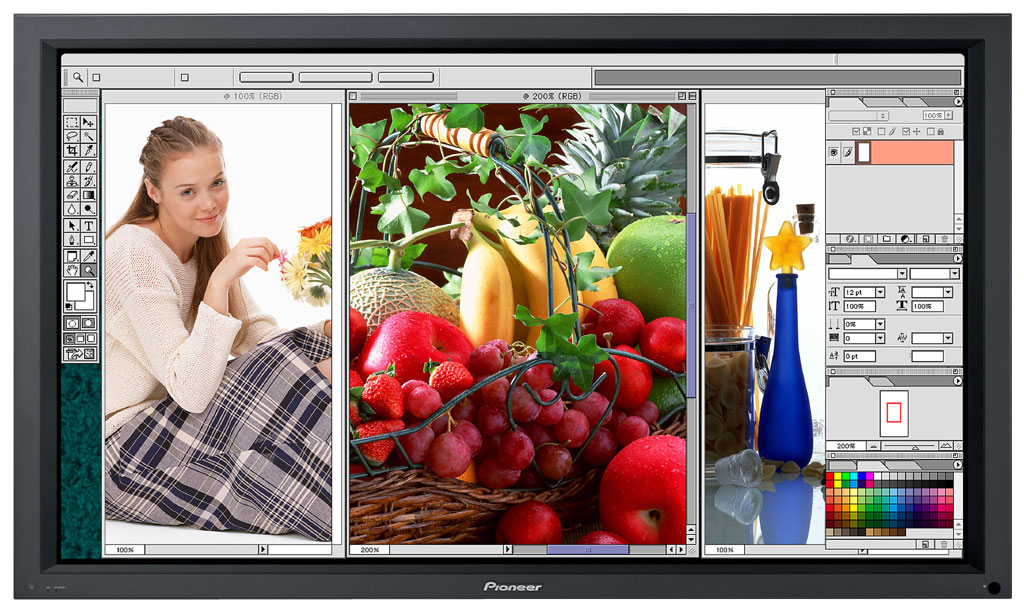
offers a choice of three dual picture modes for simultaneous display of
images from two connected sources. Split screen shows two images side by
side.
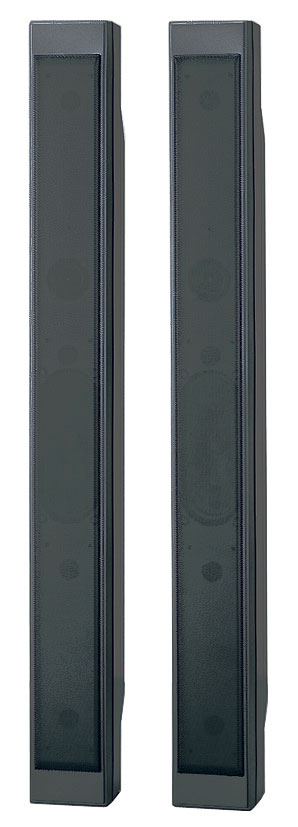
Optional Speakers
Click for Larger Image
FEATURES - Pioneer PDP504CMX Flat Panel Plasma TV Monitor
Compatibility with a Wide Range of PC Signals
with a
native resolution of 1280 x 768, this high precision panel can accurately
display personal computer signals ranging from 640 x 400 and 640 x 480(VGA)
to 1024 x 768 (XGA) and 1280 x 768 (WXGA). This unit can also display (SXGA)
resolutions of 1280 x 1024 and (UXGA) 1600 x 1200.
2 x 2 Image Expansion This mode allows a 2 x 2 data wall using four units without the need for
an expansion device. Two display modes are available, one that enlarge all
picture elements so the entire picture is visible, and one that enlarges the
whole image so lines between units are not visible.
Intelligent Auto Setup The Intelligent Auto Setup feature improves both performance and
convenience, allowing image adjustment via the remote control. This display
incorporates a new function, Auto Adjust, which detects the PC signal and
automatically adjusts the position of the image, making it unnecessary to
have to push the auto setup button.
Three
Dual Picture Modes
The
PDP-504CMX offers a choice of three Dual Picture modes for simultaneous
display of images from two connected sources. Split screen shows two images
side by side, Picture in Picture superimposes a small picture over the full
screen picture in any of four comers, and Picture out Picture displays the
second image on the right side of the screen.
Color Detail Adjustment Color adjustment can be performed for any specific color without
affecting the other colors. For example, you can change the purplish red of
a sports car to crimson without changing other colors in the image.
Enhanced Point Zoom The Enhanced Point Zoom Function lets you instantly expand any portion
of a PC image in three steps (1.5x, 2x, 3x) great for emphasizing key points
in presentations. The Zoom Area sub-display area makes it easy to confirm
the expanded portion.
Large GUI Display
Having a GUI display is a definite advantage, making operation considerably
easier, but if it is too small to see when the unit is mounted, it
usefulness is limited. The PDP-504CMX provides an extra-large display, which
is visible even when the unit is mounted in a high location.
Function Lock A number of functions can be locked, making the display system more
secure. Lock modes are on/off, main unit buttons, remote control, main unit
buttons plus remote control, and memory lock, which selects input and volume
default settings when the unit is turned on.
Extremely Low Power Consumption
This PDP-504CMX consumes only 360W of power while producing bright images.
This is extremely low for a 50-inch WXGA-class plasma display. Standby power
is a mere 0.8W. in addition the PDP-504CMX satisfies the standards of the
international Energy Star Program.
Four Energy Save Modes
In addition to the normal operating mode, the PDP-504CMX provides a choice
of four energy saving modes that further reduce power consumption. These
modes are power save, intermediate linear brightness, which decreases the
peak intensity of high brightness images and auto brightness control, which
uses a sensor to automatically adjust the brightness depending upon room
lighting.
Three Image Burn-In Prevention Modes The PDP-504CMX employs powerful tools to prevent burn-in. These include
RGB separate full mask side mask brightness adjustment. Orbiter mode for
one-pixel-at-a-time movement of displayed images at fixed intervals, and an
inverse mode that displays images as negative. Full mask and inverse can be
controlled by the on/off timer via the Screen Management function.
Peak Pattern Detection System this system also helps to prevent burn-in monitoring the prolonged
display of still images and the concentration of brightness in any segment
of the panel.
Smart Cooling System Internal fans are activated only when needed, keeping fan noise to a
minimum and conserving power.
Display of Error Information in order to minimize downtime, the PDP-504CMX provides comprehensive
error information on the screen. Many different errors, their causes, and
part serial numbers can be displayed and identified by symbols, in addition,
various errors are indicated by the two front LEDs, so even if the display
malfunctions, the cause can be quickly identified and corrected.
RS-232C Get Command The PDP-504CMX can transmit various information to a PC via the RS-232C
link using the Get command, including power on/off, input number, signal
detection and complete error data. This ensures that remote monitoring is
worry-free.
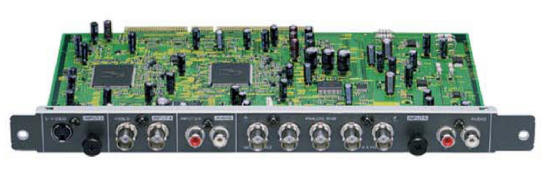
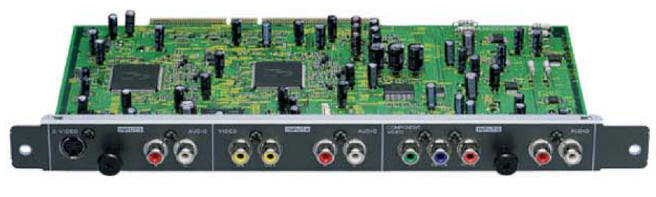
Expandability to Meet a Wide Variety of Present and Future Needs ES Card
Slot Interface The PDP-504CMX is designed to be ready for any type of application with
the integration of two ES Card Slot interfaces, one for communication and
one for enhances data. The PSP-504CMX comes supplied with a communication
card that includes RS-232C and combination I/O interfaces. This card can be
removed. The second slot can be used to enable video capabilities through
the input of a wider range of analog or digital signals, and additional
control. As a result, one PDP-504CMX can be used for multiple tasks,
including various applications that other PDP’s can’t handle. You can use it
any way you need to, and it is also ready for additional tasks you may
develop in the future.
Pioneer Plasma TV Setup - Frequently Asked Questions
GREEN SCREEN:I've installed my plasma, and wired everything correctly - Why is my
picture green?
Pioneer sets their plasma tv's to a default RGB setting at the factory. You need
to switch your color settings to COMPONENT. Follow this simple procedure.
1) with the plasma on and receiving a component video signal through INPUT
5, press the MENU button on your remote.
2) press the RIGHT button to select SETUP.
3) press the DOWN button to select COLOR DECODING.
4) press the SET button repeatedly until it says COMPONENT1.
5) press the MENU button to exit. Congratulations! You're done!
ORBITER:How do I turn on the Orbiting feature?
The Orbiter is the most important feature in extending the lifespan of your
plasma. Follow these simple instructions to dramatically reduce phosphor
burn.
1) With the plasma on and receiving a signal, press the MENU button.
2) press the RIGHT button to select OPTIONS.
3) press the DOWN button to select ORBITER.
4) press SET to switch your orbiter to ON.
5) press the MENU button to exit. Congratulations! You're done!